The shared co-parenting calendar

Two homes.
One shared
calendar.

The parenting days. The school notes. The change of plans. Keep it all together, so you can get back to being a parent.

Start free on iPhone & iPad · iOS 26+
Optional subscriptions. Your invited co-parent needs no second subscription.

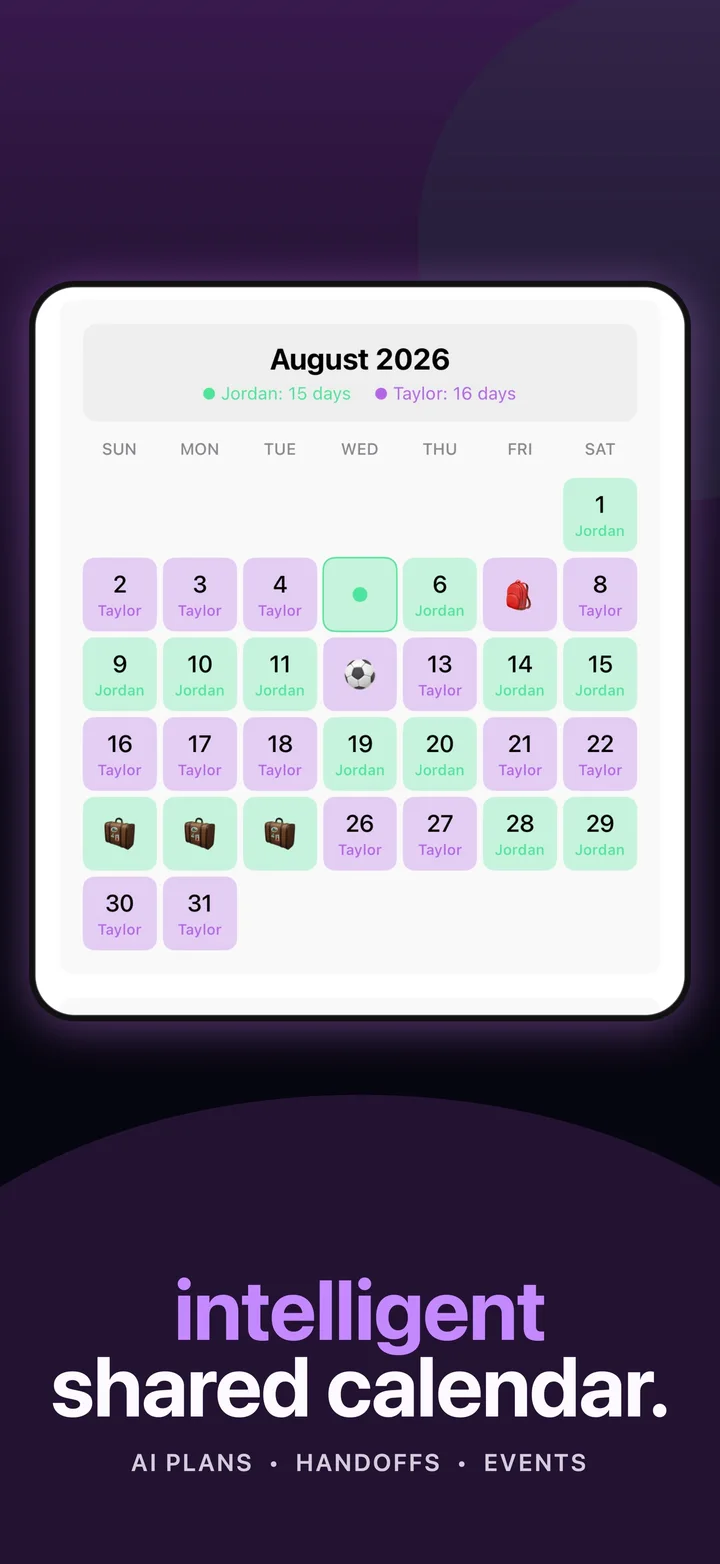
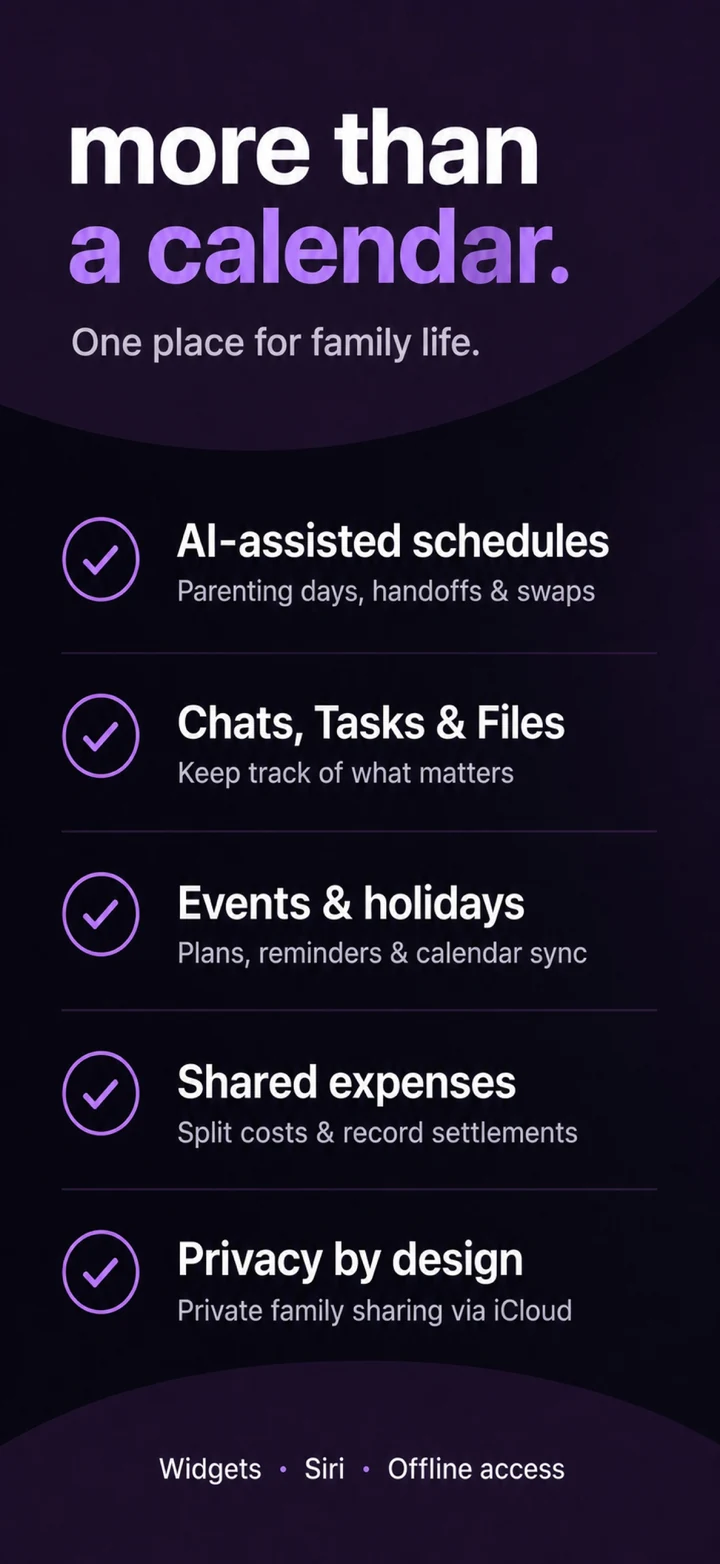
Duet parenting calendar with mint and purple assigned days and family eventsMore than a calendar: AI-assisted schedules, chats, tasks and files, events and holidays, shared expenses, and private iCloud family sharingYour days. Your plans. In sync.
Private iCloud sharingParents review every AI suggestionMade for iPhone & iPad

Less back-and-forth. More clarity.

A place for the plan.
And everything around it.

From the weekly rhythm to the one-off change, Duet keeps both homes looking at the same picture.

01 / PARENTING TIME

Make the days
make sense.

Plan custody days, holidays, and handoffs. Draft a schedule with Smart Proposals on supported devices, then review every date.

Explore intelligent planning
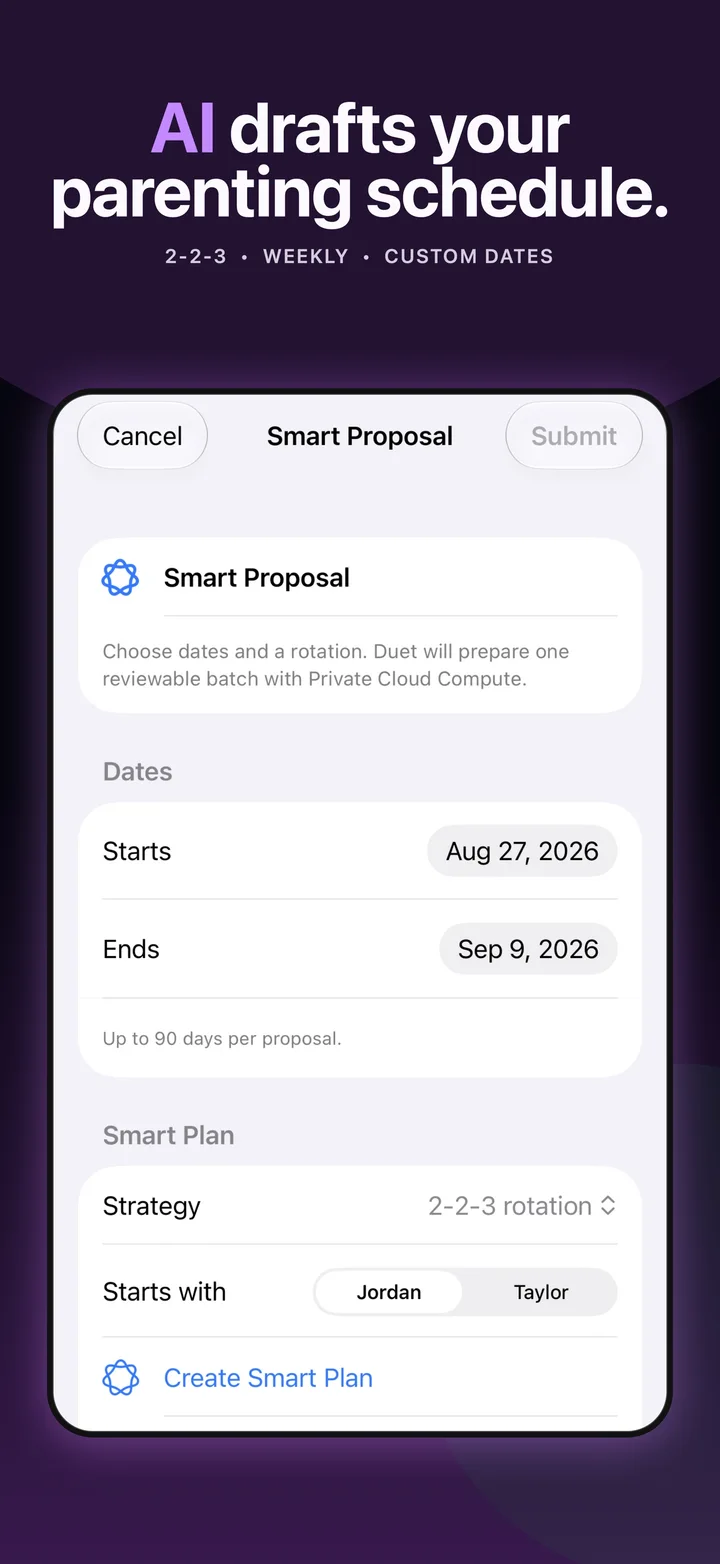
Smart Proposal composer with a 2-2-3 parenting schedule and a reviewable date range
02 / CHANGING PLANS

Swap dates.
Stay on the same page.

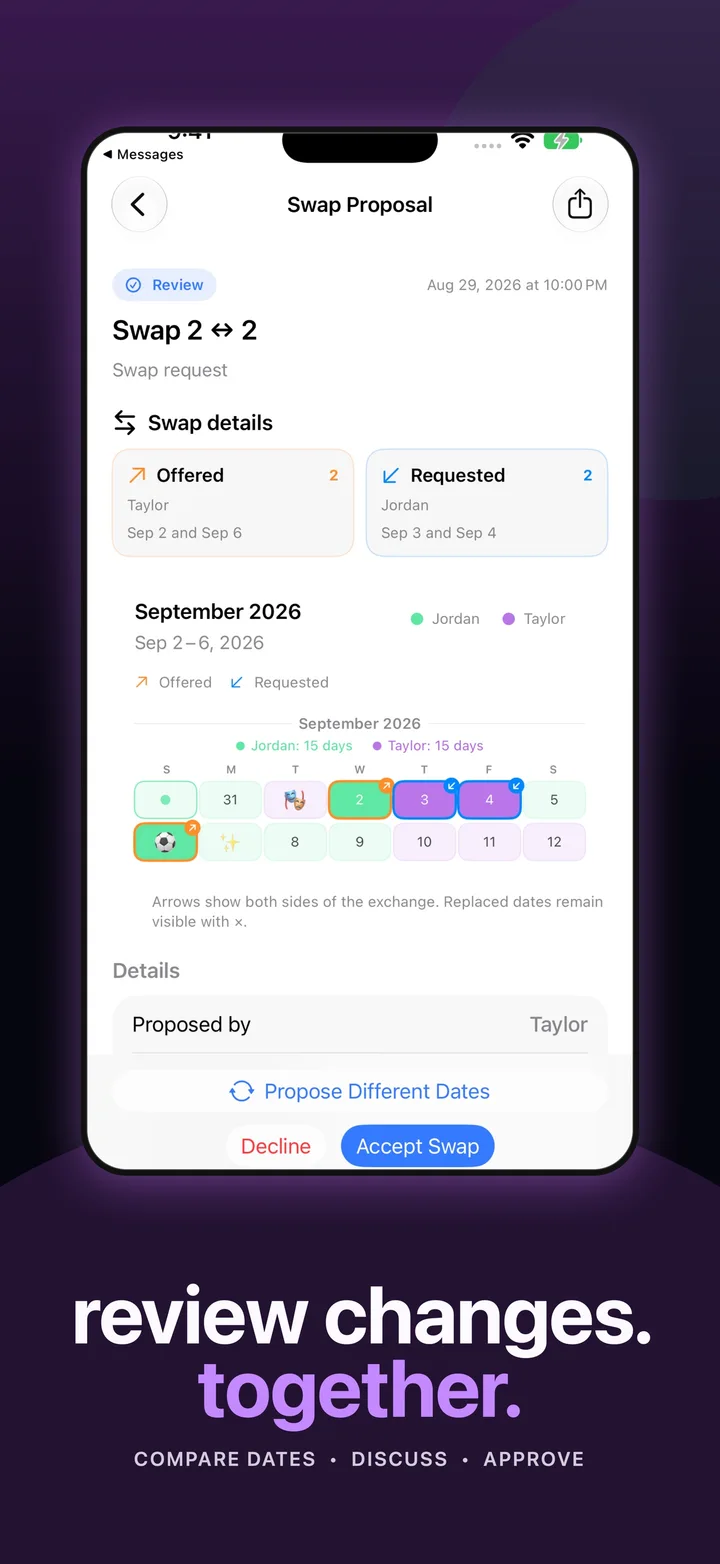
Offer days, request dates in return when you need them, and compare both sides. Share proposals through Messages and review changes together.

See how Swap Requests work
Swap Request in Messages with both parents’ dates visible before acceptance
03 / EVERYDAY DETAILS

School notes.
Actual next steps.

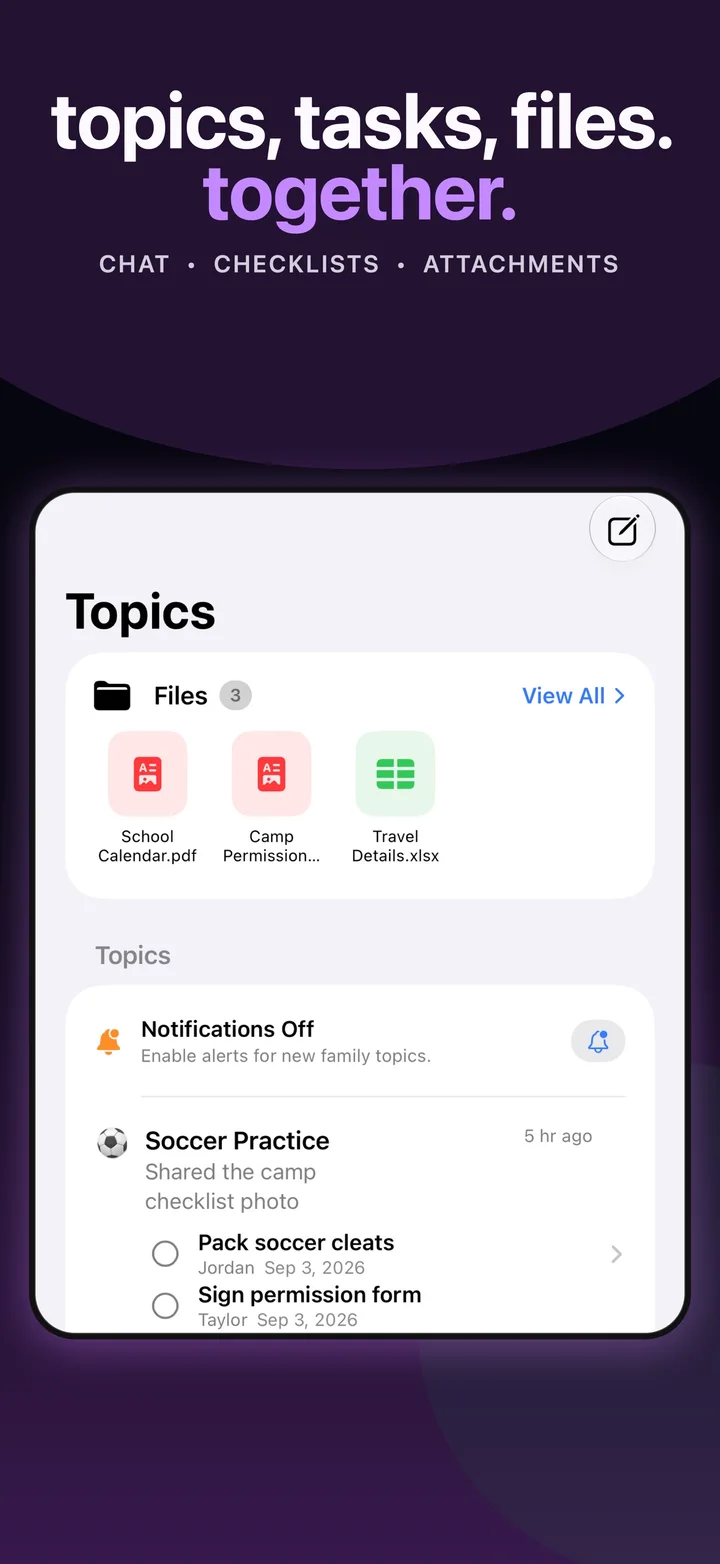
Keep conversations, tasks, and files together. Turn shared emails, photos, or text into suggested events and tasks on supported devices.

Bring the details together
Duet Topics with school files, a soccer conversation, and assigned checklist tasks
New in 1.18

Shared costs.
Clearer conversations.

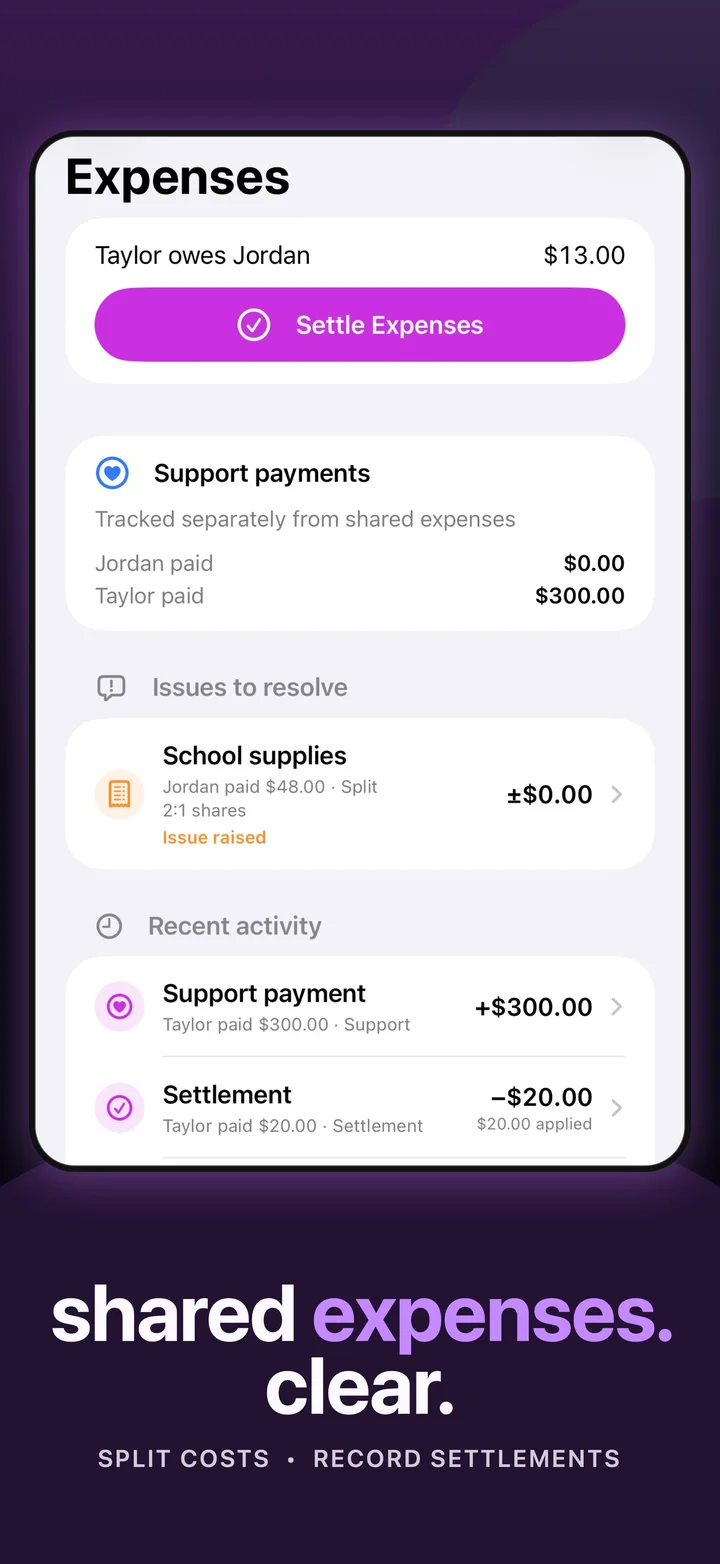
School supplies, child care, the next activity. Keep track of who paid and who owes what, right beside your family’s plans.

  • Split equally, by percentage, or by shares.
  • Record settlements made outside Duet.
  • Track support payments separately.
  • Choose expense alerts in Settings.
Explore shared expenses

Duet records expenses and settlements; it does not move money.

Duet expense balance, Settle Expenses action, support payments, and activity
Duet 1.18 · Sample family data

Built around real family life

The little things,
remembered.

One private invitation

Share your family calendar through iCloud. Your co-parent joins the plan without a separate Duet account.

Handoffs in sight

Pickup reminders, widgets, and Live Activities help you keep the next transition in view.

A quick word with Siri

Ask about parenting days, your next parenting weekend, family events, holidays, and open tasks.

Your plan, even offline

Open cached family information when the connection drops. Reconnect to share and receive updates.

Free tools & planning guides

Find a rhythm
that fits your family.

Compare parenting schedules before you commit to one. Preview a month, count overnights, and print your plan.

No download needed

Free custody schedule calculator

Try five rotations. See parenting-time percentages. Export a printable plan.

The calculator is a planning preview. Recreate or draft your chosen rotation in Duet; it does not automatically import into the app.

Planning across borders

Your region.
Your family’s routine.

Explore local holiday guidance, currencies and Duet availability. The app is available in the United States, Canada, the UK, Ireland, Australia and New Zealand.

One home? You’re welcome here, too.

Your family.
Your way of planning.

Married mode keeps shared events, holidays, tasks, topics, and files front and center. Separated mode adds parenting-day assignments, handoffs, and schedule proposals.

Explore the shared family calendar

A few helpful answers

Before you
make a plan.

What is Duet?

Duet is a shared co-parenting and family calendar for iPhone and iPad. Keep parenting days, handoffs, holidays, events, topics, tasks, and files together. Separated mode adds parenting-time tools; Married mode focuses on one-household coordination.

Is Duet free to use?

Duet is free to download, and private calendar use starts free. Optional subscriptions unlock sharing and additional features. An invited co-parent can join and use the shared calendar without a second subscription. Check the App Store and the in-app plan screen for current pricing.

How do both parents share a calendar?

Create your family calendar in Duet, then send the other parent an iCloud sharing invitation. They open the invitation on a supported Apple device and join your shared family. Both parents need iCloud to use family sharing.

Can Duet suggest a parenting schedule?

On supported devices, Smart Proposals use Private Cloud Compute to draft a 2-2-3, weekly, or custom parenting schedule. Parents review the suggested changes before they reach the shared calendar. AI features depend on device and feature availability.

Are shared expenses available now?

Yes. Duet 1.18 includes shared expense tracking with equal, percentage, or share-based splits, balances, recorded settlements, separate support tracking, and optional alerts. Duet records payments made outside the app; it does not move money.

Does Duet work on Android or in a web browser?

The Duet app is available for iPhone and iPad, requiring iOS or iPadOS 26 or later. There is no Android or browser version of the shared family app. The free custody schedule calculator on this website works in a web browser.

Can I use Duet without a connection?

You can open cached family information when offline. Sharing and receiving updates need a connection. Review sync status when reconnecting so both parents are working from the same plan.

A little more together

Make room for
the moments that matter.

Download on the App Store

Start free. Share when you’re ready.

Need a hand? Contact support.