
What is a co-parenting expense tracker?
An expense tracker keeps a shared record of family costs: what the expense was, who paid, how each parent’s portion was calculated, and which repayments have been recorded. Keeping those details together gives both parents a common starting point when they discuss a balance.
Duet’s expense tools sit alongside the shared family calendar. Expenses use your existing family sharing, so the same two parents can coordinate plans and costs.
Choose the split that matches the expense
Version 1.18 supports equal splits, percentages, and shares. You can save a preferred split for future entries and change it when a particular cost needs different treatment.
An everyday example
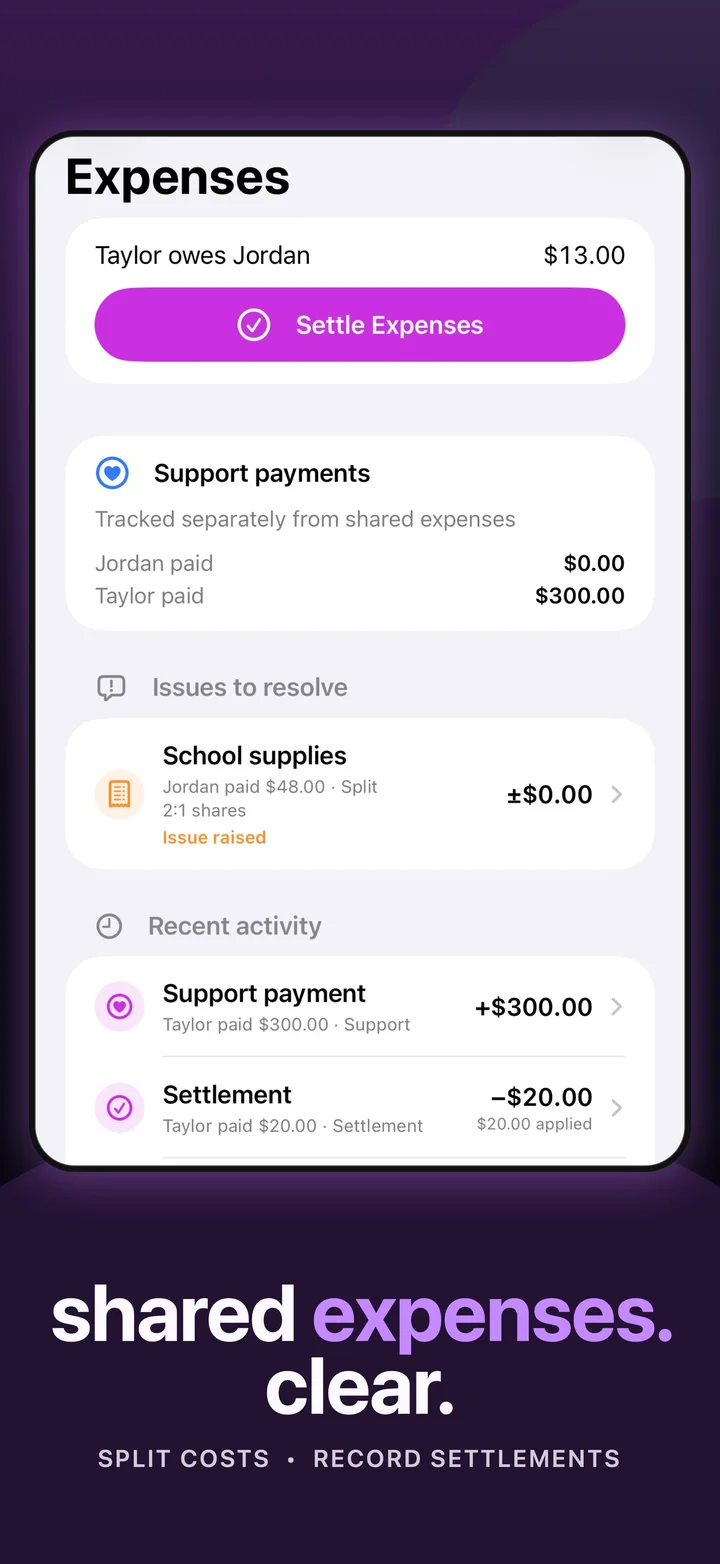
Jordan pays $90 for school supplies. With an equal split, each parent’s portion is $45. If the agreed split is 2:1, Jordan’s portion is $60 and Taylor’s is $30. Recording the purchase and the split makes the amount to settle understandable.
Keep purchases and settlements distinct
- Record the expense. Enter the cost, who paid, and how it should be split.
- Review the balance. See who owes what based on the recorded activity.
- Pay through your usual method. Duet does not connect to a bank or transfer money.
- Record the settlement. Add the payment made outside Duet to keep the shared accounting up to date.
A settlement entry records what a parent says was paid; it is not verification from a bank or payment service. Either parent can raise an issue with a recorded expense or settlement when something needs discussion.
Separate support tracking from everyday costs
Support payment entries are tracked separately from shared expense balances. That keeps a school purchase, an expense settlement, and a support payment from becoming one indistinct total.
Choose which updates you receive
Expense notifications can be turned on or off in Settings. Keep alerts that help you follow family changes and adjust them as your routine evolves.
You can already use Duet for parenting-time swaps, events, topics, and tasks. Shared expense tracking keeps the costs alongside those plans.
Questions about co-parenting expense tracker
Does Duet transfer money between parents?
No. Duet records expenses and settlements made outside the app. It does not connect bank accounts or transfer funds.
Can different expenses use different splits?
Yes. Duet supports equal, percentage, and share-based splits, plus saved defaults for future entries.
Which version includes shared expenses?
Shared expense tracking is included in Duet 1.18. Update the app to use expense splits, balances, recorded settlements, and optional alerts.